
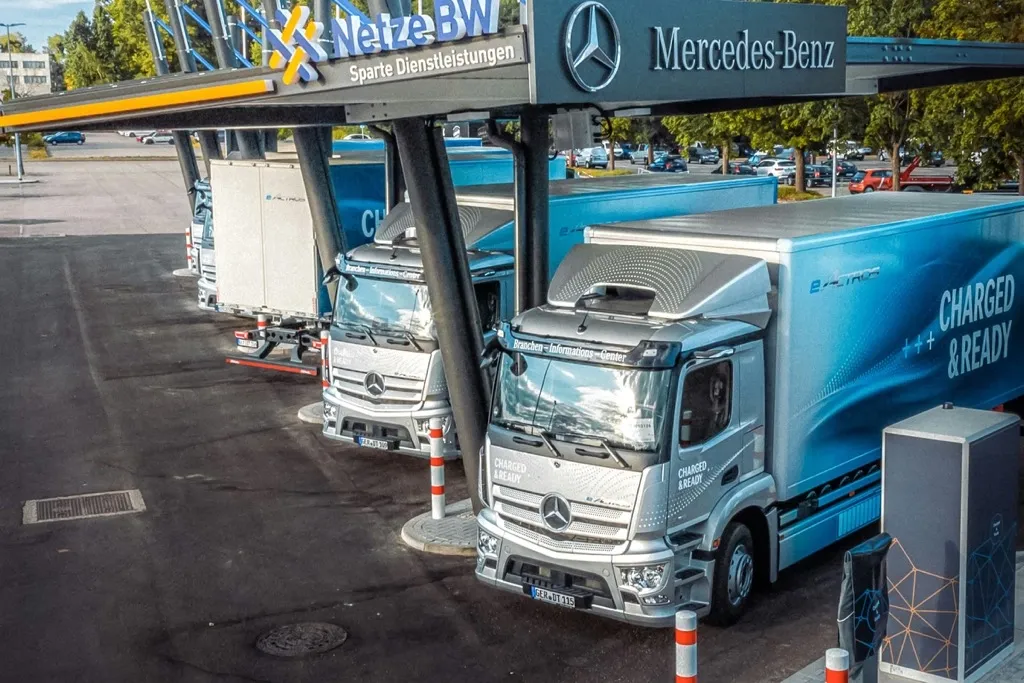
Mercedes-Benz Trucks is one of the most popular brands on European routes, and the Actros, Arocs, Atego, Antos and Econic models handle long-haul, construction and municipal transport. Add the Sprinter van, the workhorse of distribution in many fleets, and telematics lets you tie all these vehicles into one consistent picture of the fleet. This guide explains from the ground up what telematics is, what you can do with it in Mercedes vehicles, and how ONYX telematics reads data from this brand.
What telematics is and why it concerns every Mercedes vehicle
Telematics combines vehicle position (GPS), technical data from its electronics (the CAN bus) and the transmission of that information over the cellular network to a server accessible from a browser. In practice telematics turns a Mercedes truck into a data source that tells you in real time where the vehicle is, how it is driven and what is happening to its components.
Mercedes telematics consists of four elements:
- An on-board device connected to power, GPS and the CAN bus.
- The CAN bus, the internal vehicle network through which data from all systems flows, including the tachograph.
- Data transmission over the 4G LTE cellular network.
- A cloud platform with maps, reports, alerts and files.
Modern telematics does not force its way into Mercedes electronics. It uses the FMS interface, a factory-provided safe data output.
What telematics gives you in a Mercedes truck
24/7 GPS monitoring
You see where each Mercedes vehicle is, which route it took and where it stopped. Route history lets you reconstruct every trip, account for stops and confirm delivery with no calls to the driver.
Remote download of DDD tachograph files
A device connected to the CAN bus communicates with the tachograph and automatically downloads DDD files from the driver card and the tachograph memory. The duties are firm: driver card data must be downloaded at least once every 28 days, and tachograph memory at least once every 90 days, with penalties for failure reaching PLN 10,000 per vehicle. Telematics sets a schedule with a margin and does it automatically, with no need to bring the vehicle back to base.
Fuel and driving style control
The system reads real fuel use, engine RPM, cruise control use, harsh acceleration and braking from the CAN bus, then builds driver scoring. You reward the best and train the weaker. The result is lower fuel use and less wear on components.
Technical data and diagnostics
Telematics reads a broad set of technical parameters from the FMS interface and the CAN bus: fuel level, RPM, service distance, engine hours and coolant temperature. This is the basis for predicting service and detecting anomalies early. The scope of fault code reading for a specific Mercedes model is confirmed individually before deployment, so you know exactly which diagnostic data you will receive.
Alerts and reminders
The system warns of anomalies immediately, reminds you of inspection deadlines and key service duties. Geofencing notifies you when a vehicle enters or leaves a defined area.
The FMS interface in Mercedes: why it is the foundation
Every modern Mercedes can share data through the FMS interface (Fleet Management System). It is an open standard developed in 2002 jointly by six European truck makers, including Mercedes-Benz, MAN, Volvo, DAF, Iveco and Scania. The goal: to let manufacturer-independent telematics read data from any brand without risky tapping into the internal bus.
The FMS interface exposes, among others:
| Data group | Example FMS parameters |
|---|---|
| Driving | vehicle speed, tachograph speed, engine RPM |
| Fuel | total fuel used, fuel level |
| Operation | distance, engine hours, service distance |
| Load | axle weight, mass |
| Driver | tachograph data, driving time |
| Identification | VIN, FMS software version |
For a Mercedes fleet owner this matters because a direct connection to the vehicle internal bus can affect the warranty and the reliability of the electronics. The FMS interface is a factory-intended, safe output of the same data, which ONYX telematics uses.
Mercedes telematics versus the factory Fleetboard system
Mercedes-Benz develops its own Fleetboard ecosystem and the Mercedes-Benz Uptime services, which monitor the technical condition of the vehicle. These are good tools if your entire fleet is Mercedes only and you want to stay in one manufacturer ecosystem.
The trouble starts with a mixed fleet. Most carriers run Mercedes alongside MANs, DAFs, Volvos or Iveco. Then each manufacturer has its own panel, its own login and its own reporting. Independent telematics solves this in one move: all brands in one panel, on one set of reports and with one payment term.
How ONYX telematics reads data from Mercedes vehicles
Our fleet telematics works on any brand, including Mercedes-Benz.
- 24/7 GPS, route history and geofencing for Actros, Arocs, Atego, Antos, Econic and the Sprinter.
- Remote DDD download from the tachograph and driver card, on schedule and in line with the rules.
- Fuel, driving style and driver scoring straight from the CAN bus.
- Technical data from the FMS interface and diagnostics, the scope of which we confirm for your model.
- Inspection reminders and real-time anomaly alerts.
- Installation through the OBD socket in about 5 minutes or full CAN and tachograph integration by a technician.
- Browser access, an API and a ready integration with ONYX TMS, so the office and the driver work in one information flow.
For the Sprinter van, telematics matters even more, because vehicles up to 3.5 tonnes on international routes fall under increasingly broad tachograph duties. See our guide on how to prepare a van fleet for tachograph requirements.
Mercedes telematics for different models and uses
| Mercedes model | Typical use | What benefits most from telematics |
|---|---|---|
| Actros | long-haul transport | on-route fuel use, remote DDD, FMS data |
| Arocs | construction, heavy transport | axle weight, operating hours, zones |
| Atego | regional distribution | route optimization, driver scoring |
| Antos | heavy distribution | route history, fuel control |
| Econic | municipal services | zones, alerts, stop control |
| Sprinter | delivery transport up to 3.5 t | location, remote download, vehicle protection |
Where to start with Mercedes telematics
- Define the goal. Most often it is fuel cost reduction, DDD download automation or better service control.
- Check vehicle equipment. Most Mercedes have the FMS interface, which simplifies and speeds up installation.
- Choose the scope. GPS only, GPS with DDD download, or the full package with technical data and fuel control.
- Plan the installation. Through OBD it takes a few minutes; CAN and tachograph integration is a technician job.
- Configure the platform. DDD schedule, alert thresholds, geofencing zones and fuel reports.
Want to tailor the scope to your Mercedes fleet and confirm the available diagnostic data for specific models? Get in touch and we will advise the best configuration.
Bibliography and sources
- FMS-Standard, official documentation of the Fleet Management System interface, www.fms-standard.com
- ACEA, Heavy Truck Electronic Interface Group, description of the FMS standard for commercial vehicles
- Mercedes-Benz Trucks, overview of the Actros, Arocs, Atego, Antos, Econic models and the Fleetboard and Mercedes-Benz Uptime services, www.mercedes-benz-trucks.com
- Regulation (EU) No 165/2014 on tachographs in road transport, regarding data download deadlines
- ONYX product materials on the scope of diagnostics and remote data download