
Planning and ETA are finally consistent. The team makes decisions faster, and there are simply fewer errors.
Precise ETA. At every stage.
Dispatch without chaos
One system for planning, executing and settling transport. No spreadsheets or "phone-call" management.
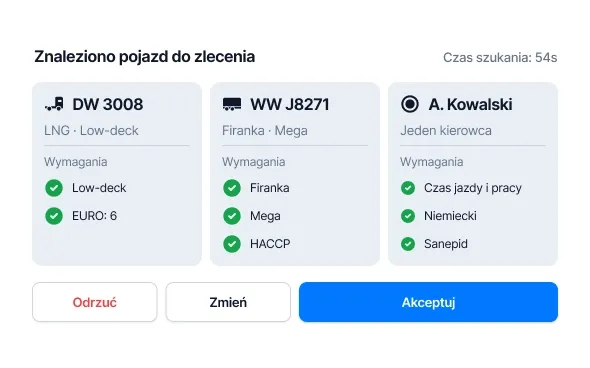
Plan assembles itself
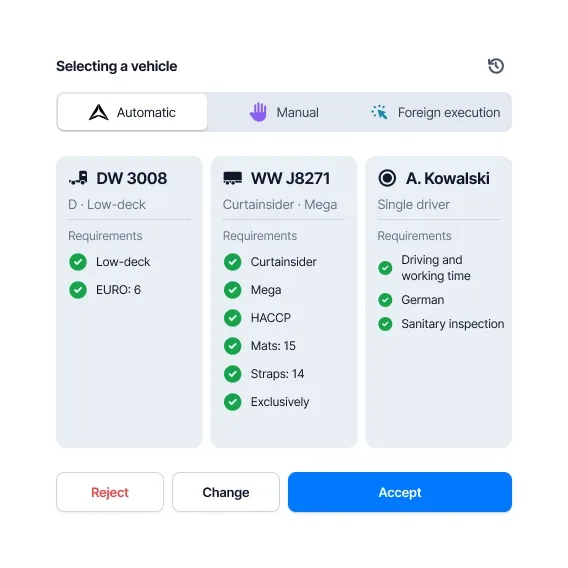
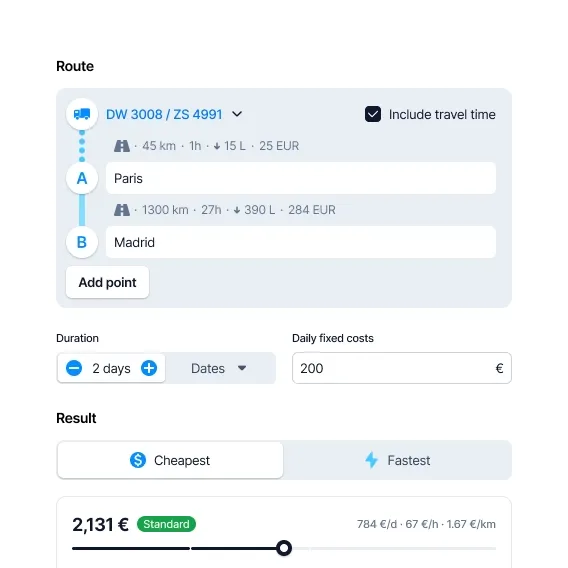
Add an order. ONYX selects the vehicle and driver, plans the route and schedule.
You approve. Or adjust with a single click.
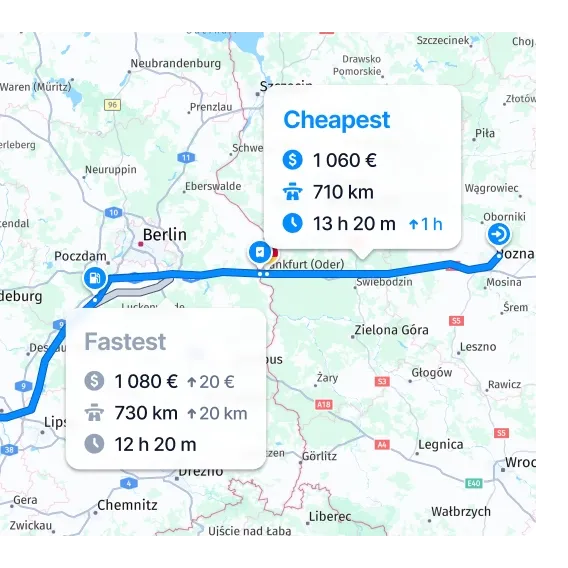
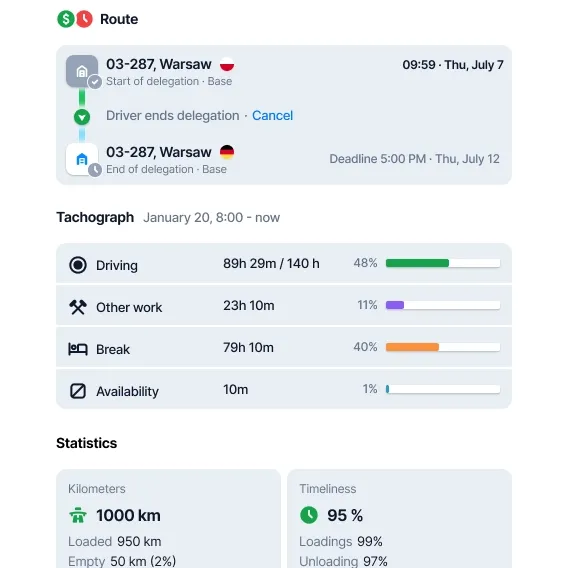
ETA that adds up
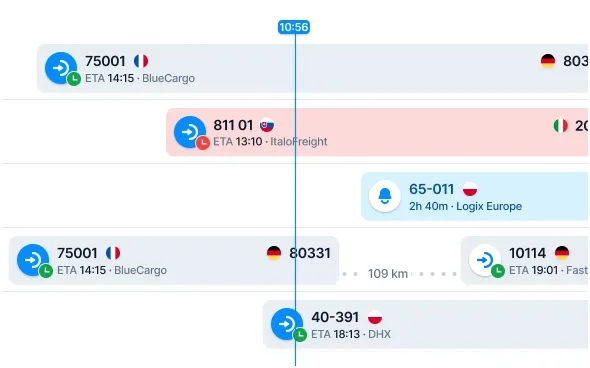
See delays before the phone rings.
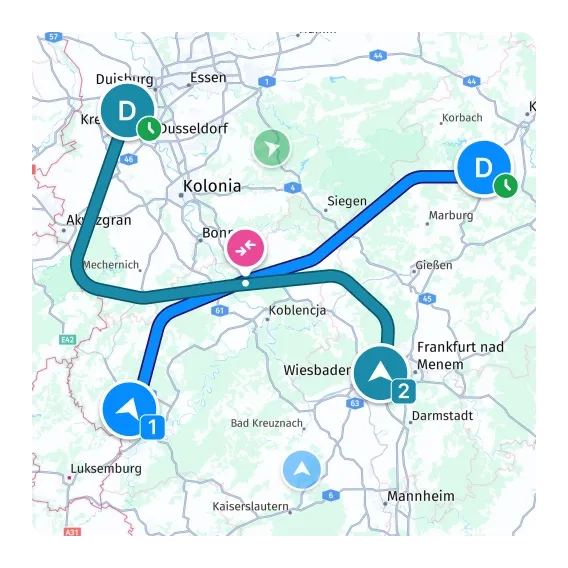
The system calculates breaks, refueling and shifts. Updates the plan in real-time.
One source of truth
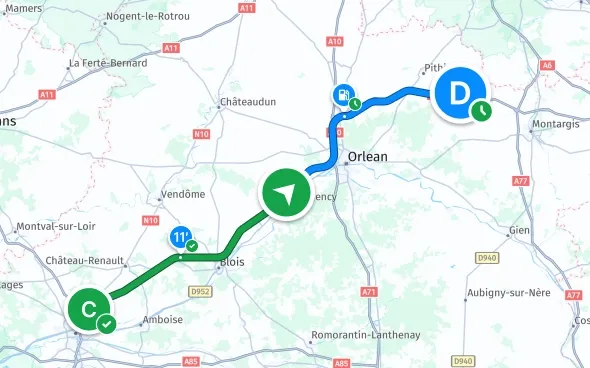
Every piece of information is in its place. Always up to date.
Less manual calculation. Fewer discrepancies. Fewer errors.
Works for small fleets. And large ones.
See how dispatch work changes after implementation.
One order dashboard
The biggest difference is the work pace. We have one view of orders instead of five spreadsheets and a communicator.
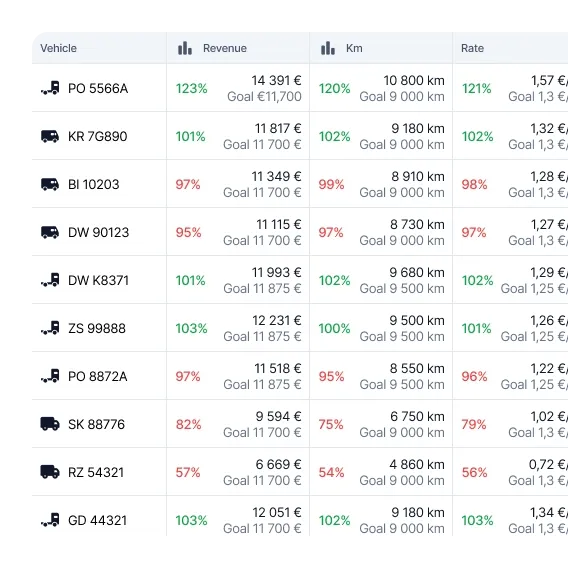
Visible profitability
Order profitability is clear. I know where costs are leaking and what to improve in the process.
Automations that work
Integrations and automations save us dozens of hours monthly. Data remains accurate.
Simpler document flow
Document circulation is much simpler, and statuses are always current. We settle faster and with more peace of mind.
One order dashboard
The biggest difference is the work pace. We have one view of orders instead of five spreadsheets and a communicator.
Visible profitability
Order profitability is clear. I know where costs are leaking and what to improve in the process.
Automations that work
Integrations and automations save us dozens of hours monthly. Data remains accurate.
Simpler document flow
Document circulation is much simpler, and statuses are always current. We settle faster and with more peace of mind.
One order dashboard
The biggest difference is the work pace. We have one view of orders instead of five spreadsheets and a communicator.
Visible profitability
Order profitability is clear. I know where costs are leaking and what to improve in the process.
Automations that work
Integrations and automations save us dozens of hours monthly. Data remains accurate.
Simpler document flow
Document circulation is much simpler, and statuses are always current. We settle faster and with more peace of mind.
See the entire transport
Without switching between tools
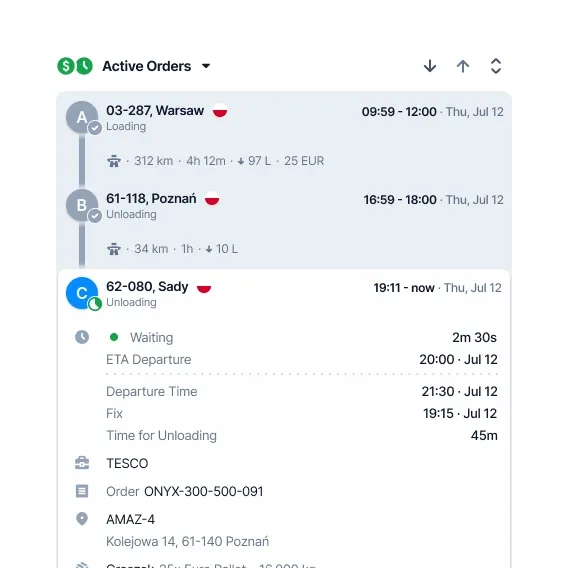
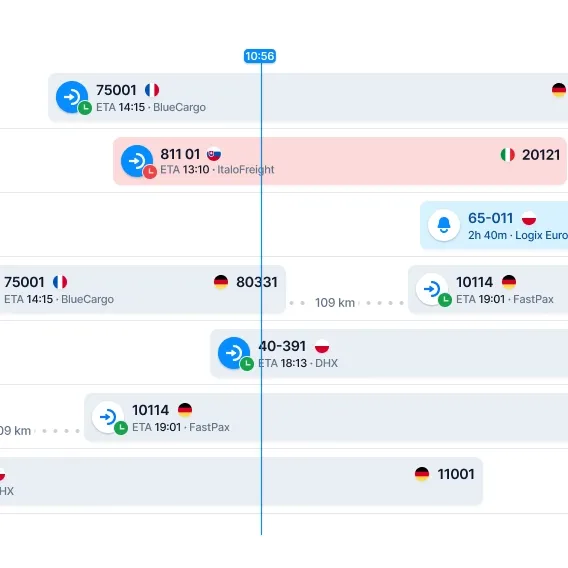
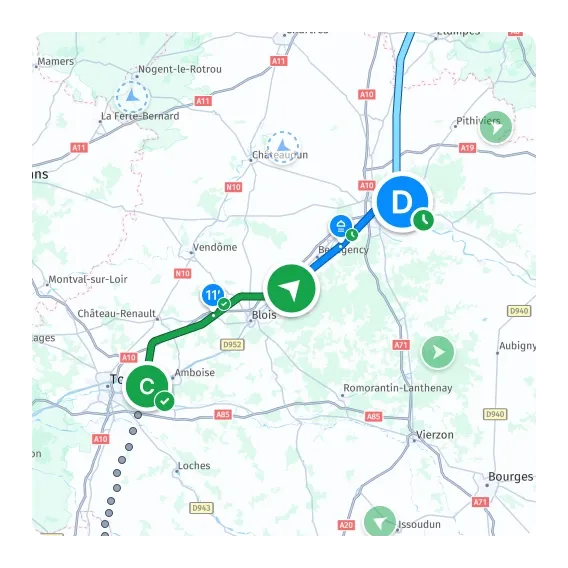
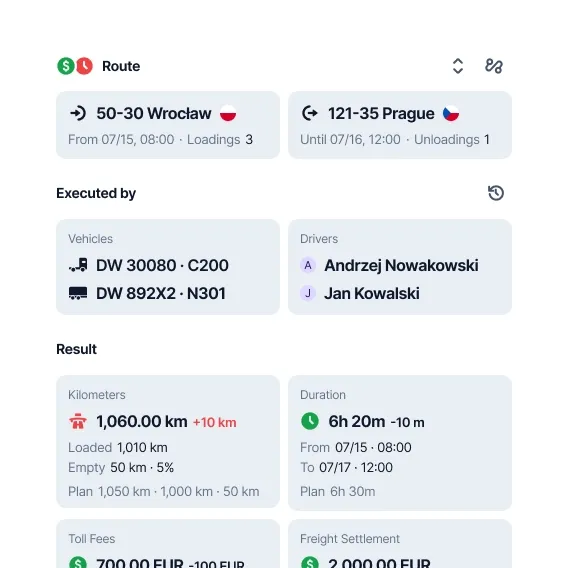
AI Planning
ETA everywhere
Planning
Map
Orders
Route planning
Order calculator
Reassignments
Profitability
Delegations
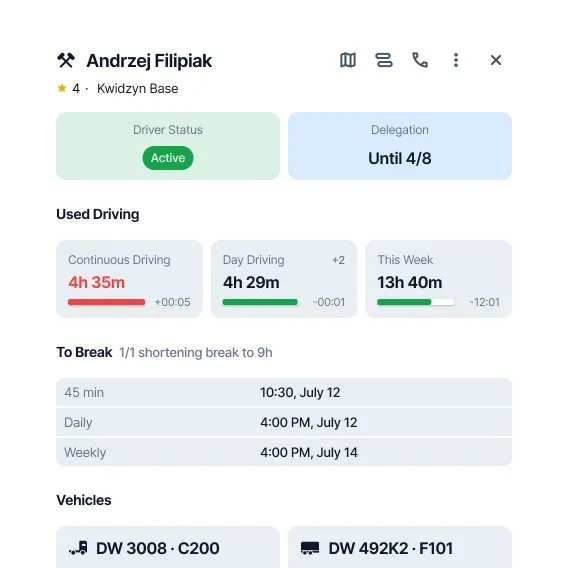
Drivers
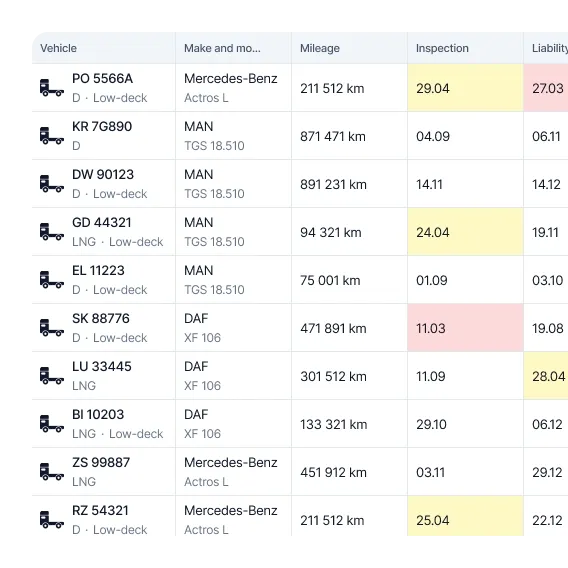
Vehicles
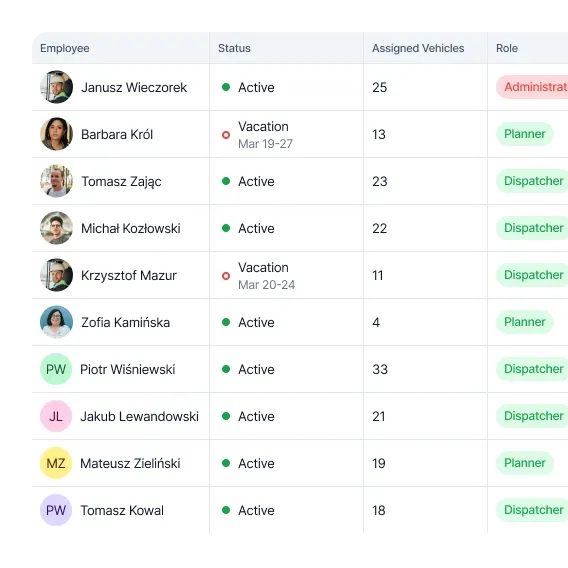
Employees
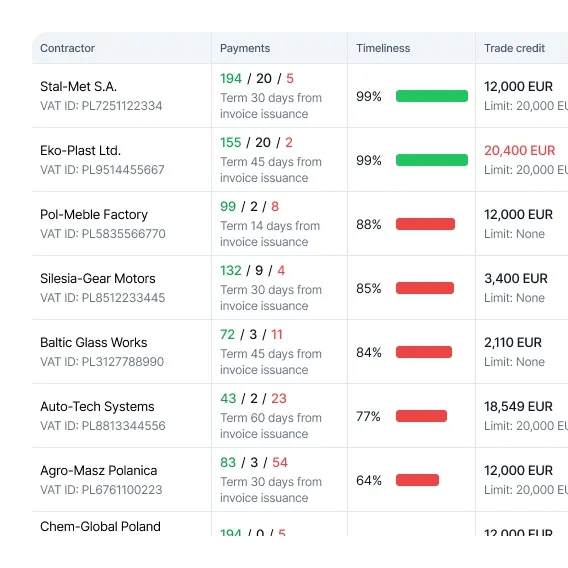
Contractors
Trust visible in data
Over 10,000 vehicles work in ONYX.




Zero upfront fees
Save from day one
TMS
99 zł/ month excl. VAT per vehicle
That's only ~3.30 zł a day
Key features
- AI-planned orders
- Precise ETA for every transport leg
- All data in one secure place
- Browser access—no installs or servers
- Route optimisation with manual override
- Automation of core processes
TMS + Telematics
199 zł/ month excl. VAT per vehicle
That's only ~6.63 zł a day
Everything in TMS, plus:
- Order statuses reported by drivers
- Driver hours and breaks at a glance
- Fast, reliable communication with drivers
- Dedicated onboarding specialist
- Unlimited API access
Tools that get the job done
Not on ONYX telematics yet?
ONYX TMS works with the most popular telematics platforms—and you can move to our all-in-one stack anytime.
TelematicsInelo / EUROWAG
Fleethand
Transics

Trimble
FORMULA
eTOLL
DBK Fleet
FleetLink
Frequently Asked
Questions
What are the benefits of implementing ONYX TMS?
You plan faster. You see a consistent ETA. You have order in data and settlements.
The result is fewer errors, fewer empty runs, and better ongoing cost control.
Does the system support map integration and calculate ETA?
Yes. The system plans routes on maps and calculates ETA for each stage.
It accounts for, among other things, driver working hours and current road conditions.
Can vehicles be tracked in real-time?
Yes. You see positions and statuses in real-time.
The team only reacts when something deviates from the plan.
What does the order planning process look like?
You add an order. The system suggests the best variant: vehicle, driver, route, and schedule.
You approve or make corrections. Everything else recalculates automatically.
Does ONYX TMS work in the cloud?
Yes. It works in the browser, without installation or local servers.
Access is available from anywhere with internet.
How long does system implementation take?
Usually a few days. Most time is spent on data entry and settings tailored to your workflow.
You don't need to do a long implementation project to get started.