

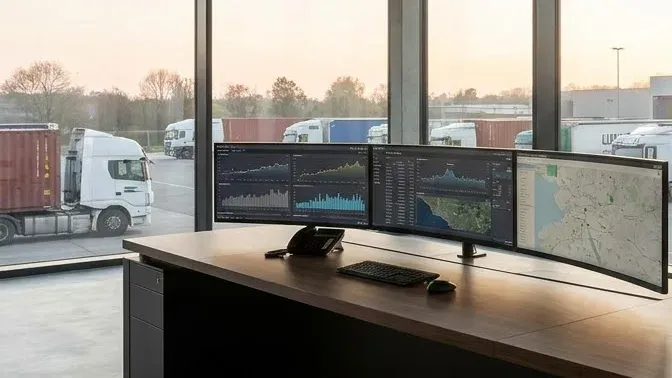
What is a TMS? In road transport, TMS stands for transport management system, also called a transportation management system.
A TMS (Transport Management System) is software in which a road transport company plans domestic and international orders, assigns vehicles and drivers, follows each trip and settles the job. Instead of spreadsheets, phone calls and several separate tools, dispatch and the back office work from the same data, from order to invoice.
This guide explains a TMS from the side of a carrier that runs its own tractor units and trailers on long cross-border lanes in Europe. We follow one order from Poznań in Poland to Lyon in France, from the moment it enters the system to the final invoice.
You will also see how a TMS differs from an ERP, a WMS, telematics and a freight exchange, and which signs show that your company needs one. Rules and features are described as of November 2026.
What is a TMS? A definition in one paragraph
A TMS, short for Transport Management System, is software in which a transport company runs every order from intake through planning and the trip to settlement, on one set of data. Dispatch, drivers and the back office see the same order, the same truck and the same plan.
In the United States and in many software reviews you will see Transportation Management System, which means the same thing. Oracle describes a TMS as a logistics platform that helps businesses plan, execute and optimize the physical movement of goods. It adds that such a system is often part of a larger supply chain management system (Oracle, What Is a Transportation Management System?).
Shippers, freight forwarders and carriers all use a TMS, but each does something different in it. A shipper plans shipments and picks carriers. A forwarder matches its customers’ orders with trucks from other companies.
A carrier owns its fleet, so in a TMS it plans vehicles, drivers and their working time first. This guide takes that view: a company with a handful or a few dozen trucks running across Europe and over its borders.
What is a TMS in daily dispatch work? It is the place where the order, the plan, the vehicle position, the documents and the settlement are linked to each other. They are no longer scattered across files, emails and messaging apps.
What a TMS is not
A TMS does not replace an ERP, a WMS, a GPS tracker or a freight exchange. It runs the order that those systems feed with data. The terms are easy to mix up, because all of them can exchange data with a TMS.
- An ERP runs finance, accounting, purchasing and sales for the whole company. It does not plan which driver goes to Lyon tomorrow.
- A WMS manages goods in a warehouse: receiving, storage, picking and dispatch. It cares about the truck only when it backs up to the dock.
- A GPS tracker shows where a vehicle is. On its own, it does not know which order the truck carries or whether it will reach the unloading on time.
- A freight exchange is where you look for loads or free trucks on the market. A TMS takes the order further once you have it.
You will find the full list of abbreviations, from CMR to WMS, in our glossary of road transport terms.
How a TMS works: one order from Poznań to Lyon
The easiest way to understand a TMS is to follow one order. Take a full truckload from a plant near Poznań to a warehouse near Lyon. The route runs through Germany into France and takes more than one working day for the driver.
We look at it from the desk of a carrier’s dispatcher who has trucks on the road in several countries at the same time. In a TMS, an order like this goes through six steps:
- The order enters the system with all its data.
- The TMS builds a plan that fits within driver working time.
- On the road, the system compares the plan with reality and recalculates the ETA.
- Loading and unloading hit the warehouses’ time windows.
- Documents and trip costs move on to settlement.
- The plan covers the truck’s way back and the next order.
At each step you will see what the dispatcher does, what the system does and which data stays with the order. The sequence is the same in most systems. Screens and names differ.
1. The order enters the system
All the order data sits in one place before anyone starts planning. The order may arrive by email from a regular customer, from the shipper’s ERP or directly from the shipper through an order platform.
The dispatcher records the loading place and time window, the unloading place and time window, the goods, the trailer type and the rate. From that moment everyone in the company sees the same order, in the same version.
One version of the order prevents misunderstandings. When the loading time changes, the change reaches the plan and the driver at once. It does not stay in one person’s inbox.
Record anything that affects the choice of truck with the order right away. Examples are ADR requirements, the temperature for a reefer, the customer’s reference number and the documents the driver must collect at loading.
A trip to France adds data that a domestic job often lacks. That means the contact at the unloading warehouse, the booking reference, a rate in euros and the payment term agreed with the customer.
2. A plan that fits within driver working time
A TMS picks the vehicle and the driver so the trip works within the rules, not only on the map. The system sees which trucks are free, where they finish their previous jobs and how much driving time each driver has left.
On the way to Lyon, EU driving time rules apply. Daily driving time must not exceed 9 hours, or 10 hours at most twice a week.
After no more than 4.5 hours of driving the driver takes a break of at least 45 minutes. Weekly driving time must not exceed 56 hours, and driving over any two consecutive weeks must not exceed 90 hours (European Commission, Driving time and rest periods, as of November 2026; Regulation (EC) No 561/2006, EUR-Lex, 2006).
So the plan must include breaks, daily rest and refuelling, and only then does the arrival time follow. Rest periods and the AETR rules outside the EU are covered in our article on domestic vs international transport.
On a route through Germany and France, the plan must also allow for truck driving bans on Sundays and public holidays. The ban hours differ between the two countries, and French public holidays do not fully match Polish ones.
A truck that reaches the French border late on Saturday evening may have to wait until Sunday evening to enter. We keep the current bans for each country in our guide to truck driving bans in Europe.
Say you have two trucks to choose from. The first stands free in Poznań, but its driver has used almost all of the weekly driving limit. The second is finishing an unloading in Berlin, with a driver who has just started the week.
On the map, the first truck looks like the better choice. In a plan that includes working time, the second one may reach Lyon without a break forced by the limit halfway along the route.
A TMS that knows the drivers’ working time works these sums out by itself. How such a plan is built in ONYX TMS is covered in our article on how to plan transport orders automatically.
3. On the road: position, ETA and plan changes
Once the truck leaves, the TMS compares the plan with what happens on the road. Telematics data shows the vehicle position on the map, and the system recalculates the ETA, the estimated time of arrival.
Say a motorway section in Germany is closed and the truck takes a detour. The TMS moves the ETA at the unloading point, and the dispatcher sees the delay before the customer calls.
In many TMS products the driver completes the picture with status updates. Typical statuses are arrival at loading, end of loading, border crossing and arrival at unloading, so the office does not have to ask for them by phone.
Crossing a border changes more than the country on the map. The truck enters a different toll system, different driving bans and different public holidays, and each of them can move the ETA.
The decision then belongs to the dispatcher. They can warn the warehouse, change the order of the next jobs or move the next order to another truck. ONYX TMS shows telematics data on the map and in the plan, so you see the truck’s position next to its order.
We explain why an accurate ETA shows up in the company’s results in ETA is money. What telematics is and what it costs is covered in our guide to telematics for small transport companies.
4. Loading and unloading within time windows
A time window is the range of hours in which a warehouse will accept the truck. The TMS stores a window for each stop on the route and checks whether the plan hits it.
If the ETA falls outside the unloading window near Lyon, the system shows it straight away. The dispatcher then has time to move the booked slot, instead of waiting with the truck at the gate until the next day.
On a trip across several countries, the unloading window and a weekend driving ban can overlap. If unloading falls on a Saturday, the plan must fit it in before the French ban starts, or allow for a stop until Sunday evening.
How windows work in practice, and how to connect them with customer booking portals, is covered in our article on dynamic loading and unloading time windows.
5. Documents and settlement
After unloading, the order does not disappear. It moves on to settlement. The TMS keeps the full record: who drove, which truck, how long the trip took, where it stopped and what the rate was.
A TMS typically lets you attach the transport documents to the order, for example a scan of the signed CMR consignment note. The invoice data is then ready at once, so the office does not need to collect the details from the dispatcher and the driver days later.
Tolls in Germany and France, fuel and driver time add to the cost of the trip. When these items are assigned to the order, you see the cost of that specific trip, not just the company’s total spending for the month.
On an international trip, costs come from several suppliers and often in several currencies. Different operators collect tolls in Germany and France, you refuel in several countries, and the customer’s rate may be in euros.
Profitability follows from the same data. You see which orders and which vehicles earn money, and which ones only look good in turnover.
How a shipper and a carrier arrive at the rate for a trip like this is explained in how much truck freight costs.
6. The return leg and the next order
The plan does not end at the unloading near Lyon. The TMS knows where and when the truck will be free, so you can plan the next order before the driver reaches France.
This is where a plan in a system differs from a plan in a spreadsheet. You see the free truck abroad in advance, not only when the driver calls after unloading.
The next order may come from a regular customer, from the market or directly from a shipper. The TMS adds it to the same route, recalculates the driver’s working time and shows the new plan for the way back.
When you choose the return order, the rate is only part of it: where the truck ends the next job and how much driving time the driver has left count too. How to plan the way back before the truck leaves is covered in our article on backhaul loads and empty running.
After the whole trip, the system holds its full history: the order, the plan, the actual journey, the statuses, the documents and the cost. For the next order to Lyon you have a ready reference point, instead of rebuilding the last trip from memory.
TMS features: what dispatch needs
A TMS for carriers gives dispatch one fleet plan, truck positions next to their orders, tidy data and the cost of every trip. Software for transport companies names its modules differently, but the needs of a carrier on long routes are similar. In ONYX TMS, the modules below cover these needs.
- See the whole fleet plan on one screen. The planning module shows orders on a timeline, often as a Gantt chart, with free and busy trucks.
- Know where the trucks are and what they carry. The map combines telematics positions with the plan, so next to each vehicle you also see the order it is running.
- Keep orders in order. The orders module stores the data, statuses and history of every job.
- Know the cost of a trip before you accept it. The order calculator works out the cost of a route, and route planning shows the trip with its stops along the way.
- React to changes fast. Reassignments let you move an order to another truck or driver, and the plan recalculates from there.
- Keep the data in one place. The Drivers, Vehicles and Contractors records hold the data that the plan and the settlement draw on.
- Know what makes money. The Profitability module compares revenue with cost for each order and each vehicle.
Integrations are a separate topic. A TMS takes positions, statuses and working time from telematics. In ONYX TMS this data can come from ONYX telematics, Trimble Transics, DBK, Fleethand, frameLOGIC and GBox, among others.
If your trucks do not have devices yet, see how ONYX Telematics works. To see how one system covers these needs, visit ONYX TMS.
TMS vs ERP, WMS, telematics and freight exchanges: who does what
A TMS ties the data from the ERP, the WMS, telematics and the freight exchange together around the order, without taking over their jobs. The table shows what each of the five systems handles and how it connects with a TMS.
| System | Handles | What it does not do | How it connects with a TMS |
|---|---|---|---|
| TMS | The order from intake to settlement: plan, driver, truck, ETA | Does not run accounting or the warehouse | Brings data from the other systems into one process |
| ERP | Finance, accounting, purchasing and sales for the company | Does not build the fleet plan or count driving time | Sends orders to the TMS and receives data for invoices |
| WMS | Goods in the warehouse: receiving, storage, picking, dispatch | Does not plan vehicles and drivers | Exchanges booked slots and goods readiness with the TMS |
| Telematics | Position, speed, tachograph and CAN bus data | Does not know which order the truck carries | Feeds the TMS with position and working time for ETA |
| Freight exchange | Finding loads and free trucks on the market | Does not manage the order once it has been accepted | An accepted order goes into the TMS plan |
Data flows both ways. The ERP or the shipper’s system sends orders to the TMS, telematics supplies position and working time, and the TMS returns statuses, ETAs and invoice data.
As a result, nobody retypes the same information between programs.
The WMS looks after the goods and the TMS after the truck and the time; how the two work together at transhipment points is covered in our article on cross-docking in logistics.
If you look for loads on the market, read how to find loads for a transport company and how a free freight exchange with no commission works.
In ONYX TMS, orders from shippers can also reach carriers directly, with no commission, through Transport Orders. Orders are already in the system, with loading in Poland.
A TMS for carriers vs a TMS for shippers
A TMS for carriers plans its own vehicles, drivers and their working time, while a TMS for shippers selects carriers and compares rates. Many TMS definitions online describe the second view.
The same Oracle page lists manufacturers, distributors, ecommerce companies, retailers and logistics service providers as the main users of a TMS. It describes planning as selecting the mode of shipment and the best carrier.
For a shipper, the truck is a service it buys. What counts is the price, the delivery date and whether the goods arrived.
A carrier looks at it from the other side. It owns tractor units, trailers and drivers, so it plans their time, not just the choice of supplier.
That is why a TMS for carriers must know driver working time, where the previous order ends, crew changes and the truck’s way back. The same Poznań to Lyon trip is one line in a purchase order for the shipper. For the carrier it means several days of truck time and a plan for the return.
The difference also shows in settlement. A shipper compares invoices from many carriers, while a carrier counts what a specific truck earned in a given week.
So when you read about a TMS, check whose point of view the description comes from. Features for shippers and for carriers sound alike, but they answer different questions.
When a transport company needs a TMS
There is no single date or threshold at which a TMS becomes necessary. There are, however, signs that keep coming up in companies once the spreadsheet stops being enough.
- The plan lives in one person’s head. When the dispatcher goes on holiday, the rest of the team rebuilds the plan from phones and notes.
- You type the same data several times. The order goes into a spreadsheet, then into a chat with the driver, and finally into the invoicing program.
- After a delay, it is hard to tell what changed. Nobody remembers who moved the unloading time or why the truck came back later.
- An empty return shows up too late. The truck has already unloaded in France, and only then do you start looking for a load heading home.
- You settle at month end from several files. You learn how much a vehicle earned only when it is too late to change the plan.
If you recognise two or three of these signs, it is worth testing a TMS on your own routes. Start with the ones that take the most work.
How many trucks do you need for a TMS?
There is no fleet-size threshold, because a few tractor units on long cross-border routes can have more moving parts in their plan than a larger fleet that runs locally. What counts more is the number of orders, stops, borders and changes in a week, and we look at the belief that a TMS is only for large companies in our article on myths about logistics tools.
How to start
Start with a small part of your work. Enter your vehicles and drivers, then run one group of routes in the system, for example your regular trips to France.
Connect the telematics you already have in your trucks, so positions and working time reach the plan without retyping. To begin, one dispatcher who runs those routes in the system from order to invoice is enough.
After a few weeks, compare the plan in the system with what happened on the road. Then it is easier to decide whether to move the whole fleet to the TMS.
How to score a system in such a trial, criterion by criterion, is covered in our guide on how to choose a TMS for a trucking company.
You can try ONYX TMS free for 30 days. Most of the setup goes into entering your data and adjusting the settings to the way you work.
Summary
- A TMS is a transport management system in which one order moves from intake through the plan, the trip and the documents to settlement.
- For a carrier, a TMS plans vehicles, drivers and their working time, calculates the ETA and shows what each truck earns.
- A TMS does not replace an ERP, a WMS, telematics or a freight exchange. It connects their data around the order.
If your fleet plan lives in spreadsheets and phone calls today, test it in a system on one group of routes. See how ONYX TMS works.